Named Override Surfaces
Replace specific theme components by name — not arbitrary files. Five surfaces, stable prop contracts, versioned across releases.
The five surfaces
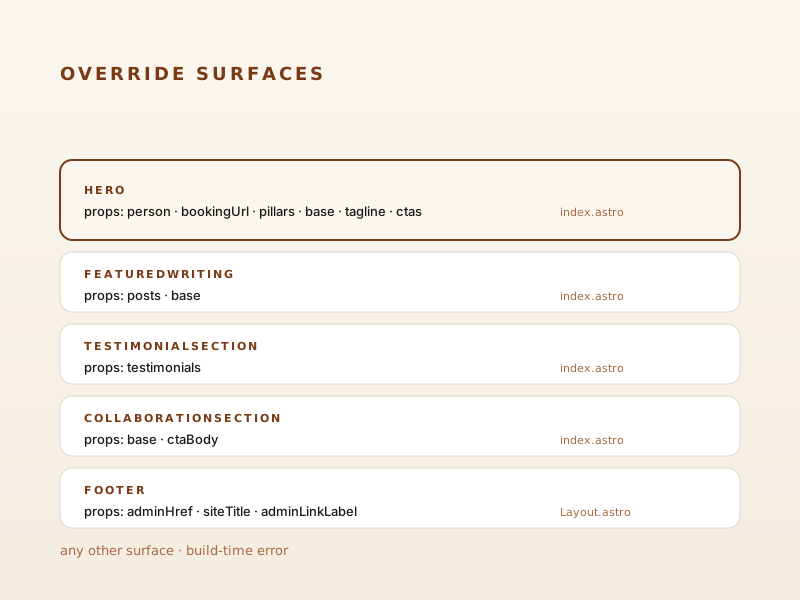
The editorial theme declares exactly five override-able components in packages/editorial-theme/src/registry.ts:
| Surface | Props | Host page |
|---|---|---|
Hero | person, bookingUrl, pillars, base, tagline, ctas | index.astro |
FeaturedWriting | posts, base | index.astro |
TestimonialSection | testimonials | index.astro |
CollaborationSection | base, ctaBody | index.astro |
Footer | adminHref, siteTitle, adminLinkLabel | Layout.astro |
Trying to override anything else is a build-time error.
How to wire one
editorialTheme({
  /* ... */
  overrides: {
    components: {
      Hero: './src/overrides/Hero.astro',
      Footer: './src/overrides/Footer.astro',
    },
    styles: ['./src/overrides/styles/showcase.css'],
  },
});
Each override file receives the surface’s typed props and is responsible for rendering whatever it wants. Style overrides are appended after the theme’s global.css so consumer CSS always wins.
Why named, not file-path
If consumers could override arbitrary files, every theme upgrade would risk breaking some site somewhere — invisibly, because the override would silently shadow a renamed internal file. Named surfaces with declared prop contracts make the public surface area explicit. If a surface is removed in a future release, that’s a breaking change called out in the changelog.
This site wires all five override surfaces. Look in examples/demo-site/src/overrides/ to see each one.