Setup with Claude
Paste one doc into Claude Code and answer a handful of questions. Numbered phase scripts run with DRY_RUN and SKIP_* flags so an agent can safely provision your repo.
The pitch
Most theme systems hand you a template, a README, and a long list of placeholder strings to find-and-replace. portfolio-engine takes a different route: the recommended setup is to paste docs/downstream/setup-with-claude.md into Claude Code and let the agent run the numbered phase scripts.
What the agent does
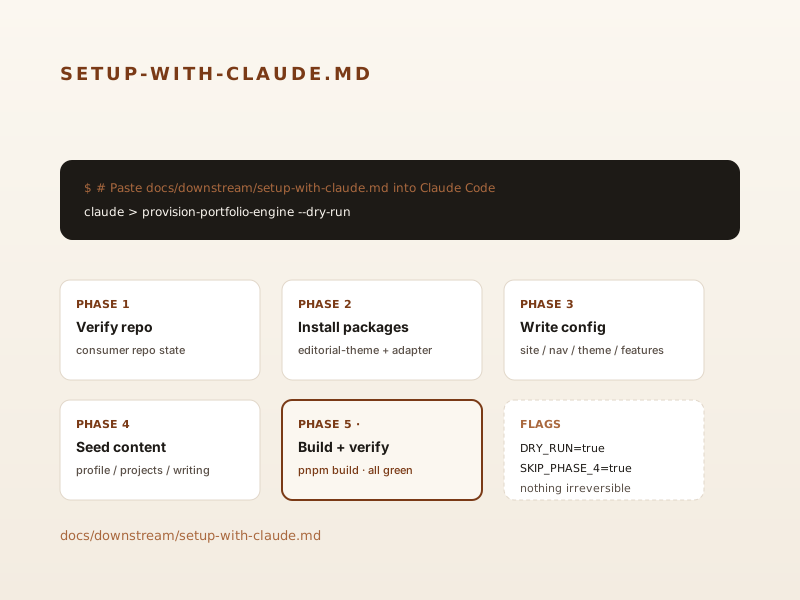
- Phase 1. Confirms your private content repo exists and is empty (or close to it).
- Phase 2. Installs
@portfolio-engine/editorial-theme,@portfolio-engine/admin-tools, and an Astro adapter. - Phase 3. Writes the four config JSON files (
site.json,navigation.json,theme.json,features.json) using your answers to the setup questions. - Phase 4. Seeds content collections with placeholder entries so the first build succeeds.
- Phase 5. Runs
pnpm buildand reports any Zod errors back to the agent with file paths and line numbers.
Each phase script honors DRY_RUN=true (print only) and per-phase SKIP_* flags (e.g., SKIP_PHASE_4=true). Nothing is irreversible.
Why this is the recommended path
Setup is the most boring, mechanical, error-prone part of using any theme system. Automating it through Claude Code means a non-technical site owner can stand up their own portfolio without learning the engine internals first — and an engineer can sanity-check the diff before committing.
See docs/downstream/setup-with-claude.md for the prompt.